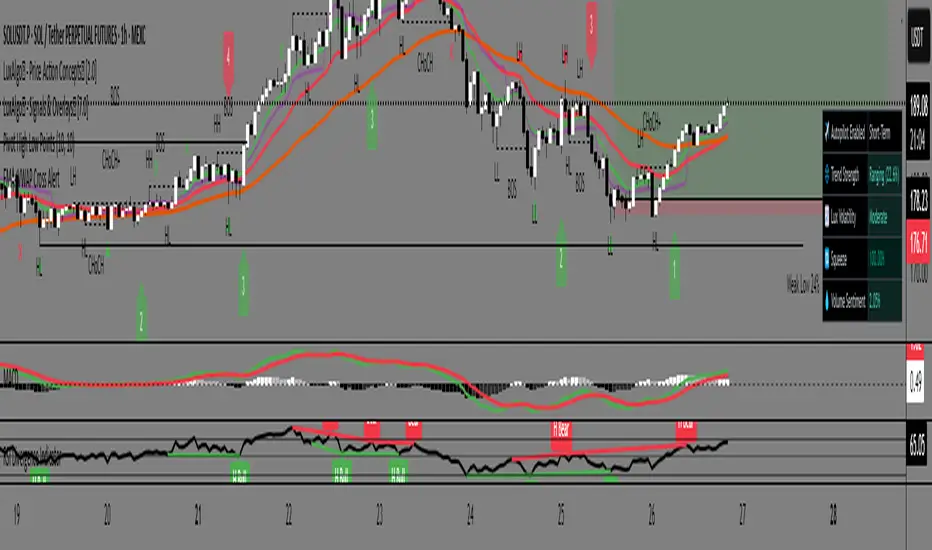
EMA 8/21/50 + VWAP Crossover Alert IndicatorOverview of the Indicator
This is a custom Pine Script v5 indicator for TradingView titled "EMA 8/21/50 + VWAP Crossover Alert Indicator" (short title: "EMA+VWAP Cross Alert"). It's designed as an overlay indicator, meaning it plots directly on your price chart rather than in a separate pane. The primary purpose is to detect and alert on crossovers between the 8-period Exponential Moving Average (EMA) and the 21-period EMA, which can signal potential bullish or bearish momentum shifts. These are classic short-term trend reversal or continuation signals often used in trading strategies like momentum or swing trading.
To enhance analysis, it also includes:
A 50-period EMA for medium-term trend context (e.g., to confirm if the overall trend aligns with the crossover).
A Volume Weighted Average Price (VWAP) line, which provides a benchmark for the average price weighted by volume, useful for identifying intraday value areas or fair price levels.
The indicator works across all timeframes (e.g., Daily, 4H, 1H, 15M, 5M, 3M) because the calculations are based on the chart's current bars and adapt to volatility and data resolution. It's not a trading strategy (no entry/exit logic or backtesting), but an alert tool—signals are visual and can trigger notifications in TradingView. Always combine it with risk management, as crossovers can produce false signals in ranging or choppy markets.
ابحث في النصوص البرمجية عن "ema"
EMA and EMA Spread studyBased on initial setup from rludvik ()
- Focussed on EMA for this script
- Added the ema as input parameters, so updating the pinescript everytime isn't needed
- also added a second ema to it, to make it easier to study/compare 2 sets of emaspread
I will publish this open, if you make your own improved version of it, please let me know :-)

EMA with Adaptive Straight SegmentsThis script transforms a traditional Exponential Moving Average (EMA) into a series of straight-line segments, making trend direction clearer and easier to follow. Instead of plotting every curve of the EMA, it connects key points with angled steps, giving a trend-line style look that removes noise and highlights slope.
What makes this version special is its adaptive segmentation:
Segment length automatically adjusts based on market volatility (ATR%).
In low volatility, segments stretch longer to smooth things out.
In high volatility, segments shorten to stay responsive to price swings.
Features:
Clean, step-style EMA representation.
Adjustable minimum/maximum segment lengths.
Customisable number of historical segments.
Optional display of the original EMA for comparison.
HUD label showing current ATR%, segment length, and segment count.
This tool is especially useful if, like me, you prefer structural analysis over noisy indicators. It keeps your chart tidy while still reflecting the true slope of the EMA. I find 50 and 200 are the most useful.

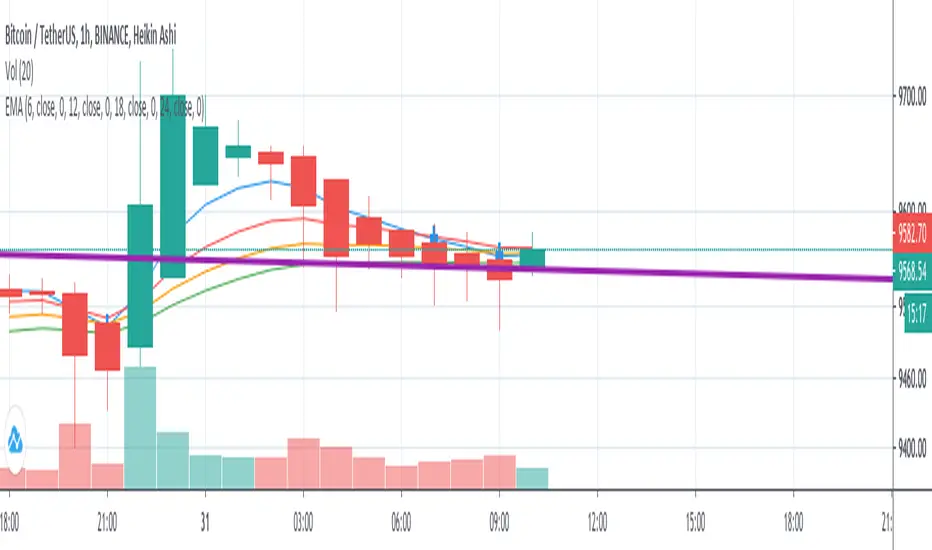
EMA 4 => 30Min & 1Hi use this script in 1h and 30min chart with this setting:
ema 6, ema 12, ema 18 & ema 24 and use adx and di, macd and cci indicator to get confirmation.
EMA 10/20 Crossover BackgroundThis script works best on a weekly chart and it taints the background green if the EMA-10 is larger than EMA-20 (EMA lengths can be configured) and red otherwise. I use this script to immediately determine if a market is trending upwards or downwards.

EMA x5A simple script involving exponential moving averages. It draws on 5 customizable lookback periods for the EMA and draws it on the chart. From backtesting, periods of confluence between all of the exponential moving averages lead to trades with an increased probability of working out. I have also taken the liberty and added the feature of including higher timeframe comparisons on the same chart. For example, you can choose to draw a 50-period 4-hour EMA on your 5-minute chart if you are an intraday trader. This might holistically help with your analysis by having the data on a single chart. This indicator also helps traders who are using the free or pro versions of TradingView and want to use 5 EMA's but TradingView's indicator count does not allow that many.
I have also made the script open source for anyone looking to reference code.

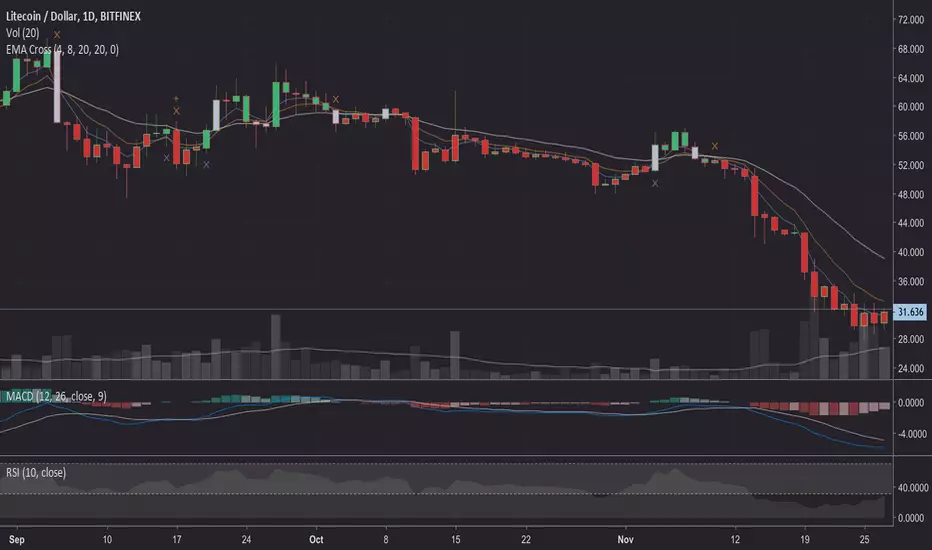
EMA Cross Fast/Slow/SignalInspired by EMA CrossOver Bars, this includes a third EMA that we are looking to cross. It also plots the EMA's on the chart.
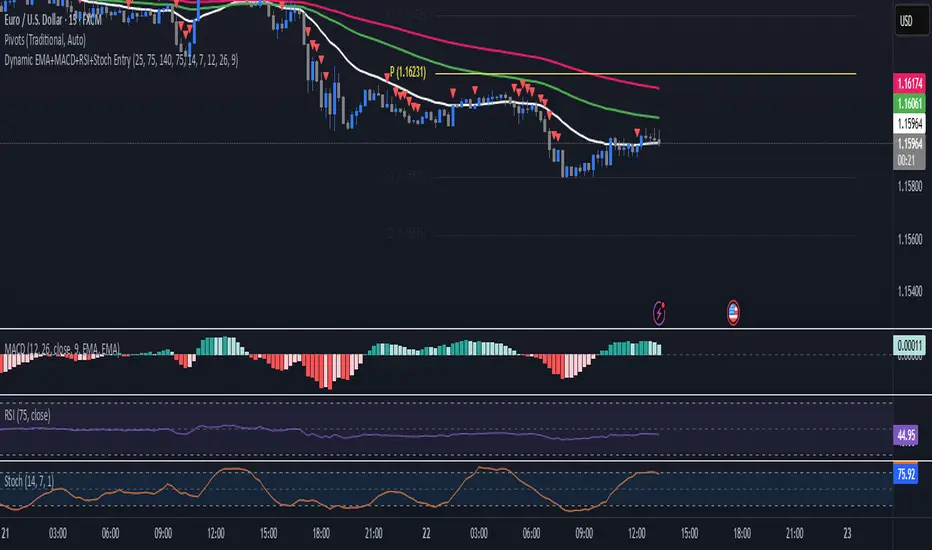
EMA+MACD+RSI+StochJust like SMA but EMA!
this EMA base indicator helps you to find the trend.
use pivot point standard for make better decesion on Long and Short
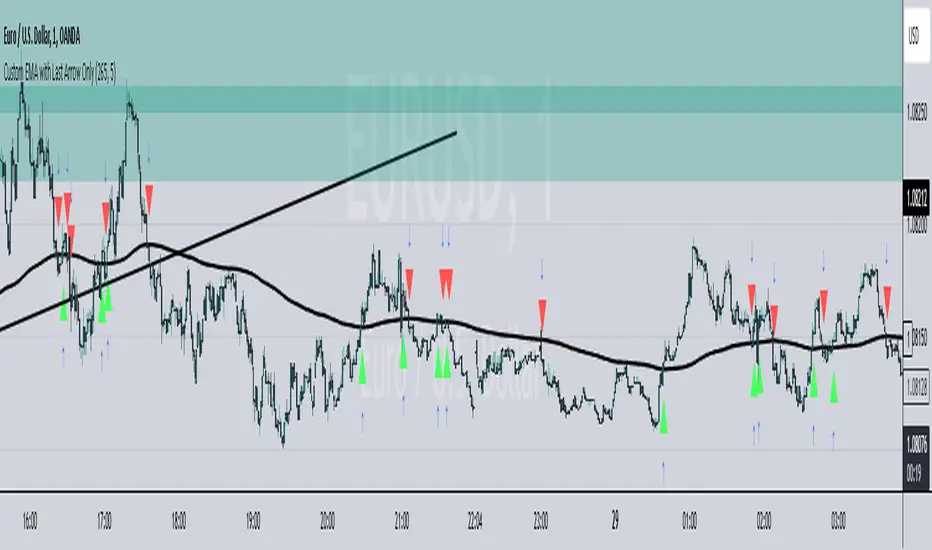
EMA LavtiThis TradingView Pine Script indicator displays a smoothed Exponential Moving Average (EMA) line along with a single arrow to indicate the last confirmed crossing event. The indicator highlights either a "Buy" or "Sell" signal based on price action relative to the smoothed EMA.
How It Works:
The script tracks the index and direction (up or down) of the last crossover event.
When no new crossing event occurs, the script resets to avoid plotting multiple arrows.
The smoothed EMA line is plotted on the chart to give context for the crossover signals.
EMAS X-FACTORindicador que nos simplifica la utilización de las EMAS 8,18 y 200 que utilizaremos para confirmar las entradas de las operaciones. Las EMAS o Medias Móviles Exponenciales nos muestra el valor medio del precio de un instrumento durante un determinado período de tiempo, es decir nos marcan la tendencia momentánea y la tendencia larga.

EMAs from higher TFPlot EMAs based on the higher timeframe.
Ex. If you're looking at 15 min chart, you'll see EMAs from H1 TF.

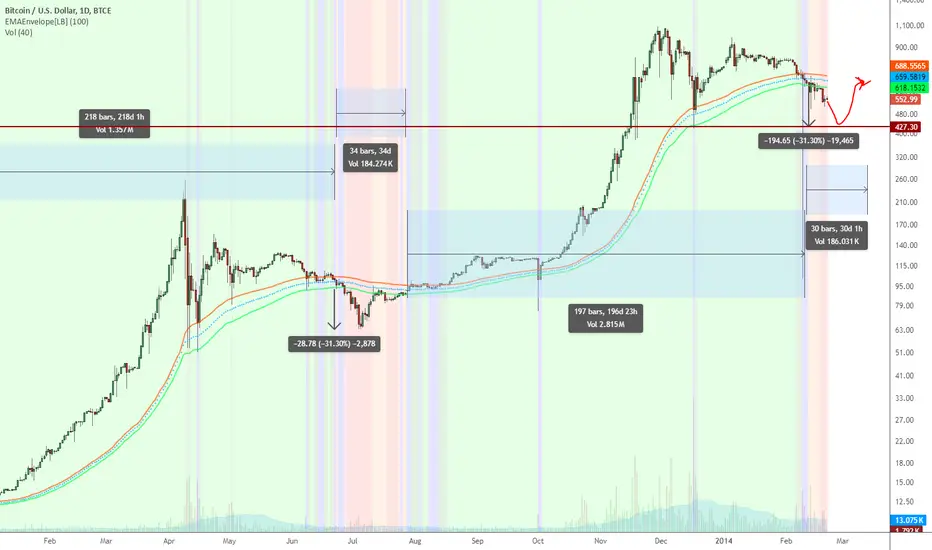
EMA Enveloper Indicator & a crazy predictionEMAEnvelope indicator does just that, draws a nice user-defined period EMA envelope (overlay).
It also can highlight the Bull/Bear breaks using different colors
- Green : High > EMA_HIGH
- Lime : (High > EMA_HIGH) and (Low > EMA_HIGH)
- Orange : Low < EMA_LOW
- Red : (Low < EMA_LOW) and (High < EMA_LOW)
Background highlighting is user-configurable.
Now to the (crazy) prediction: Based on a 100-period EMAEnvelope, we may have to go down to ~427.3 before starting turning Green. Look at the 2 Orange/Red areas highlighted.
EMA 200 tells us a different story, BTW.
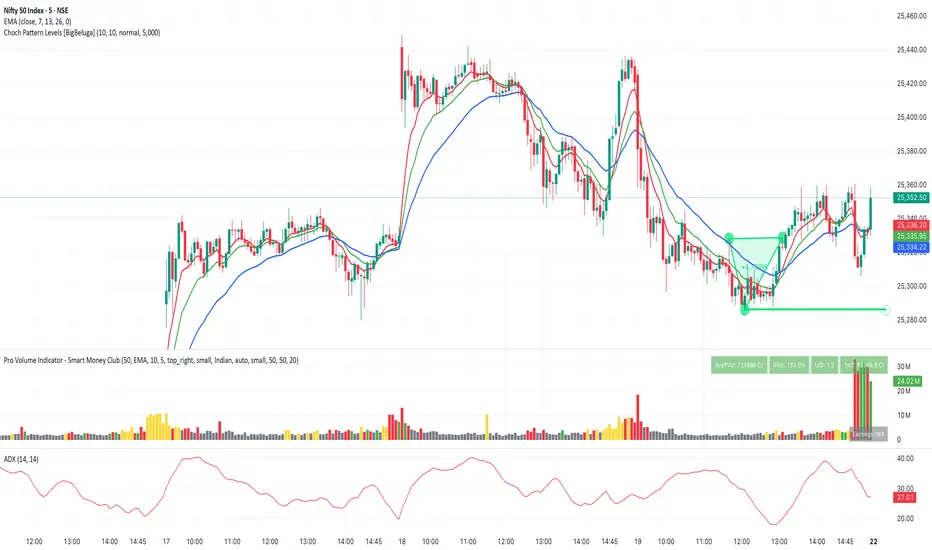
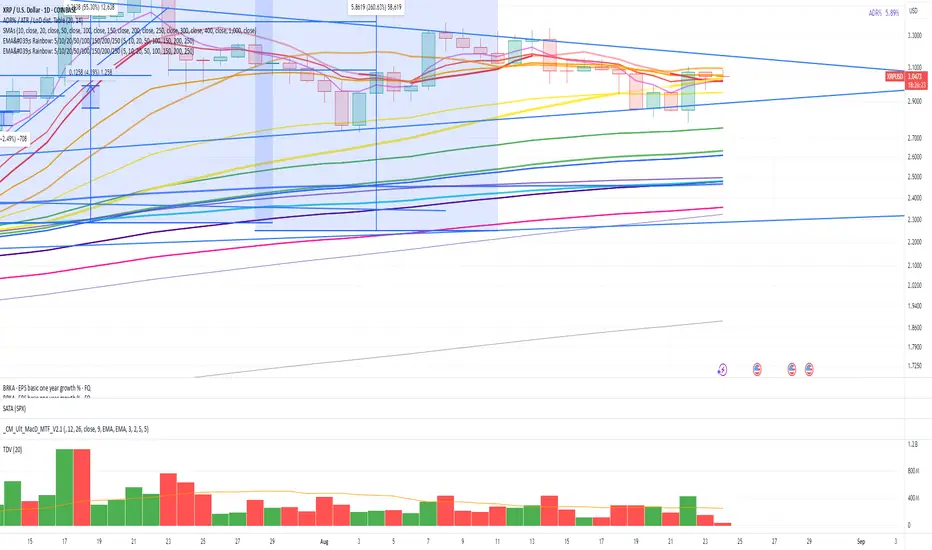
EMA's Rainbow: 5/10/20/50/100/150/200/250All major EMA's color coded to look like a rainbow, and configurable
EMA 200 HIGH LOWS - BIRMANO - A Pine Script v6 indicator plotting a smoothed cloud between EMA 200 of high and close prices, with dynamic colors (green/soft red) based on price position. Includes RSI (14) in a subpanel for confluence, with an ATR filter to hide the cloud during high volatility.

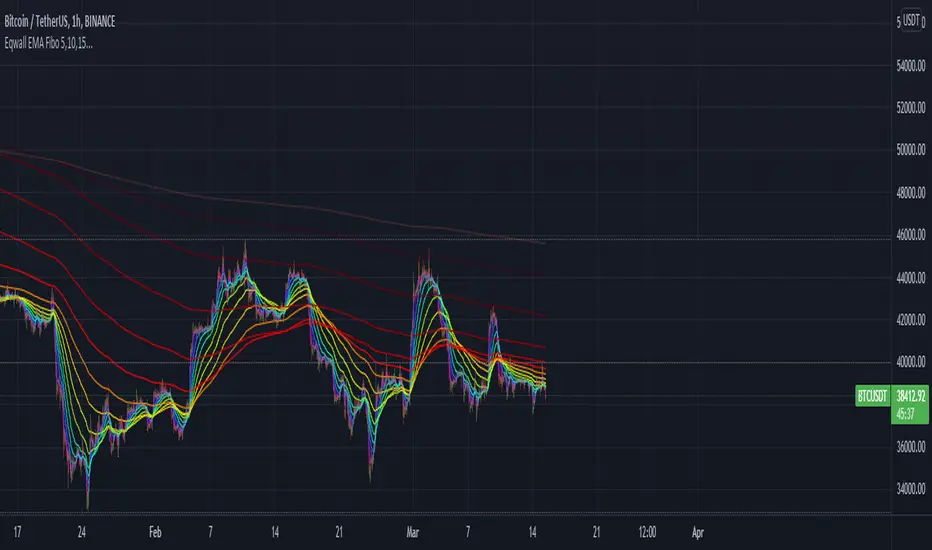
Awen1s EMA FiboEMA based on Fibonacci sequence starting at 5 hours.
Hours: 5, 10, 15, 25, 40, 65, 105, 170, 275, 445, 720, 1165, 1885, 3050, 4935
EMA Separation CoefficientStrategy: ema difference fast-slow
buy: indicator cross up zeroline
sell: indicator cross down zero line

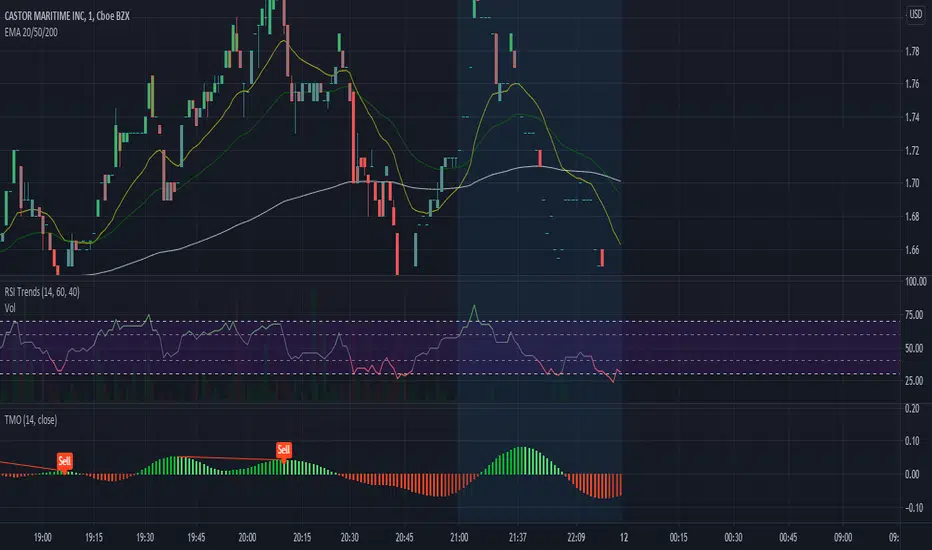


EMA CrossoverSimple script showing two EMA values and a shape(circle) when a crossover has taken place.

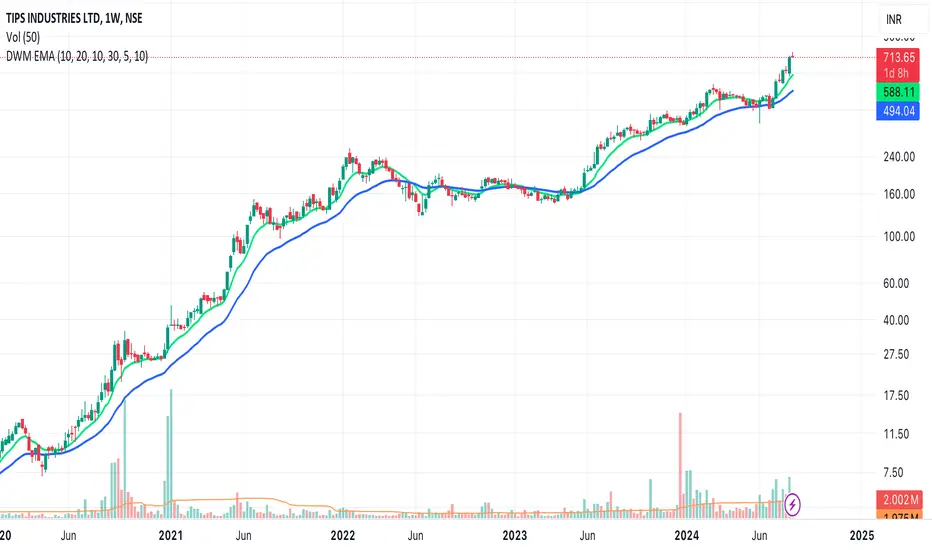
EMAs for D W M TimeframesEMAs for D W M Timeframes
Description:
The “EMAs for D W M Timeframes” indicator allows users to set specific Exponential Moving Averages (EMAs) for Daily, Weekly, and Monthly timeframes. The script utilizes these user-defined EMA settings based on the chart’s current timeframe, ensuring that the appropriate EMAs are always displayed.
Please note that for timeframes other than specified, it defaults to daily EMA values.
EMA : The Exponential Moving Average (EMA) is a type of moving average that places greater weight and significance on the most recent data points. This makes the EMA more responsive to recent price changes compared to a simple moving average (SMA), making it a popular tool for identifying trends in financial markets.
Features:
Daily and Default EMAs: Users can specify two EMAs for the Daily timeframe, which also act as the default EMAs for any unspecified timeframe. The default values are set to 10 and 20.
Weekly EMAs: For Weekly charts, the indicator plots two EMAs with default values of 10 and 30. These EMAs help in tracking medium-term trends.
Monthly EMAs: On Monthly charts, the indicator plots EMAs with default values of 5 and 10, providing insights into long-term trends.
Timeframe-Based Display: The indicator automatically uses the EMA settings corresponding to the current chart’s timeframe, whether it is Daily, Weekly, or Monthly.
If the chart is set to any other timeframe, the Daily EMA settings are used by default.
How to Use:
Inputs:
* Daily and Default EMA 1 & 2: Adjust the values for the short-term and long-term EMAs on the Daily chart, which are also used for any other unspecified timeframe.
* Weekly EMA 1 & 2: Set the values for the EMAs that will be shown on Weekly charts.
* Monthly EMA 1 & 2: Specify the values for the EMAs to be displayed on Monthly charts.
Visualization:
* Depending on the current chart timeframe, the script will automatically display the relevant EMAs.
Default Values:
* Daily and Default EMAs: 10 (EMA 1), 20 (EMA 2)
* Weekly EMAs: 10 (EMA 1), 30 (EMA 2)
* Monthly EMAs: 5 (EMA 1), 10 (EMA 2)
This indicator is designed for users who want to monitor EMAs across different timeframes, using specific settings for Daily, Weekly, and Monthly charts.